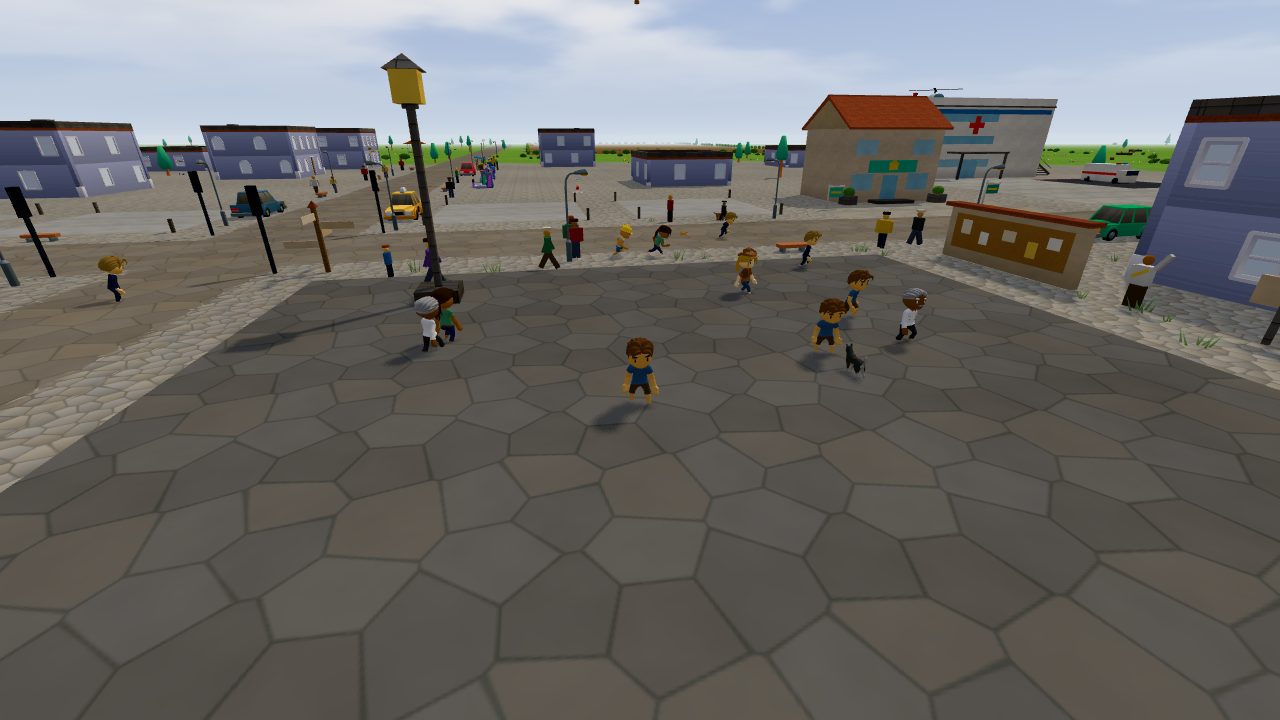
Everything you need to jump in
New to the realm? Start here. It takes about two minutes to sign up, and Pip will show you the rest in the game.
Your first five minutes
Make a free account
Pick a username, add your email and choose a password. You get 50 free tokens to start, and no card is needed. Sign up here.
Name your character and pick a look
One character per account. Six looks are free to start, and you can change your look any time in the wardrobe.
Press Play
The realm opens right in your browser on a computer, phone or iPad. There's nothing to download. Want it on your home screen? On Android, open the site in Chrome, tap the three dots, then Install app. On iPhone and iPad, tap Share in Safari, then Add to Home Screen.
Say hi to Pip
Pip, the Realm Guide, meets you in Basecamp and offers a quick tour. Say yes! It's the fastest way to learn everything below.
Keyboard, phone or iPad
Every key is also listed in the game: press Esc and open Help.
On a computer
- WASDWalk and turnW forward, S back, A and D turn
- 🖱️ dragLook aroundMouse wheel zooms in and out
- SpaceJump
- EUse, talk, sit, pick up, driveOpens doors and talks to people; on your lot, it builds
- Left clickAttackSwing what you hold; bare hands punch
- Right clickBuildOpens the builder on your lot
- 1234The action barAttack, jump, use and your ability
- BOpen your bagEverything you carry, in tabs, with Sort
- 5678Quick slotsDrag a potion, gear, a spell or an emote onto them; on a phone, hold a finger on it
- EnterChatEveryone in the zone hears you. Type /s to talk to people nearby
- GWave, dance and cheer12 emotes; G honks the horn when you drive
- HHome stoneTravel to a place, your lot or a friend
- OFriends
- PYour pets
- JCritter JournalEvery critter you've seen and caught
- FJetpack on and offSpace up, C down, Shift boost
- ZXBubble shield and healThe shield blocks every hit for 4 seconds; the heal gives 40 health back
- MThe mapClick a world event on it for an arrow that shows the way
- CDive under waterSpace swims back up
- VChange the cameraFollow or locked
- NChange the car radio
- EscSettingsSound, touch controls, the camera and Help
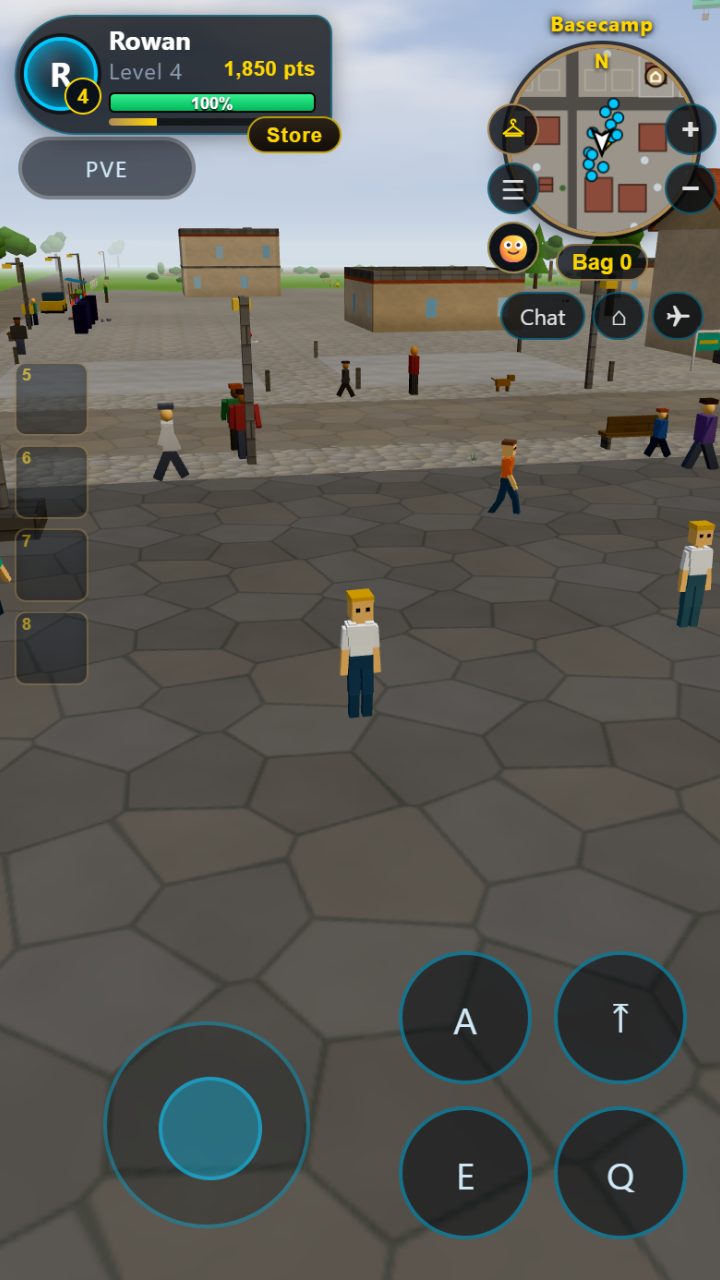
On a phone or iPad
- 🕹️MoveThe thumb stick at the bottom left. Put your thumb anywhere there
- 👆 swipeLook aroundSwipe on the right side of the screen
- AAttack or useHold it to keep going
- ⤒Jump
- ETalk, use, driveThe same as E on a keyboard
- QAbilityLike your jetpack
- 💬Chat
- ⌂Home stone
- ◯ ✚Shield and healBeside your buttons
- 🗺️MapOn the minimap's edge
- 😀EmotesWave, dance, cheer
- 🐾Your pets
- 🎒Bag
- 🚗Driving and flyingGAS and BRAKE to drive, UP and DOWN to fly, Exit to hop out
Every iPad gets touch controls, even with a keyboard attached. In Settings you can switch them Auto, On or Off, pick a HUD size (Small, Normal or Large), and go Full screen where your browser allows it.
Driving and flying
- WSDrive: gas and brakeS again to reverse
- ADSteer
- EHop in and outTake any parked car, or one from the Basecamp Motors lot
- SpaceShiftFly up and downR and C work too; W and S tilt
- EJump out of a planeYour parachute opens by itself. Steer it with W A S D
Eight quick steps, and a prize
Finish the tour and you get 100 points (straight to level 2!) and a Glow Pebble for your bag. You can skip it, or take it again any time from Settings, Help, or by asking Pip.
- 1Look and walkLook around: drag with the mouse, or press A and D. Now walk! Press W to go forward.
- 2JumpJump! Press the Space bar.
- 3Say hiWalk up to Pip and press E to say hi.
- 4A presentA present for you! Follow the arrow to it and press E. It went in your bag. Press B to open your bag.
- 5Hold itIn your bag, click the Foam Sword, then Equip. Left-click to swing it!
- 6Take a driveFind a parked car - follow the arrow - and press E to hop in. Drive a little! W to go, A and D to steer. Now press E to hop out.
- 7Store and mapOpen the Store (under your name), or zoom the map with + and -.
- 8Say helloSay hello! Press Enter, type hi, then press Enter.
On a phone or iPad, Pip tells you which buttons to tap instead.
Build your own place
Get a lot
Visit the real estate agent at Keystone Realty in Basecamp, or open the Store. Lots cost 600 to 1,500 points. A second lot opens at level 4, a third at level 7.
Stand on it and press E
The build panel opens. Pick a piece and it appears in front of you, facing you. Placing pieces is free.
Invite friends to build
Add builders, open your lot to everyone, or lock it. Give it a name so friends can find it.
You can also buy a whole house or shop in the Store, furnish it, lock it and hand out keys.
Ask the AI to make something
Open the build panel on your lot and choose Create something new at the bottom. Name what you want, pick what sort it is, see the price in tokens, and Make it: the AI builds it right in front of you. If a build ever fails, you get every token back. More about building with AI.
Right now the AI art studio makes new skins, paint jobs, animals and effects for everyone, every day. New skins show up in your wardrobe with a New badge.
Tame a companion
Strays wander every zone except Basecamp: dogs, cats, rabbits, foxes, horses, chickens, and a couple of creatures you'll only find here. Walk up, press E and give them treats. After a few, they're yours!
Treats turn up out in the wild, or you can buy a bag in the Store. Press P (or tap 🐾) to open your pets. Keep up to 6, and one walks with you at a time, even riding along in your car.
Pets level up as you play together and learn tricks: Sit, Spin, Jump, Roll over, Fetch, Dance, Play dead, High five.
Catch critters
Little critters live all over the realm, and some only come out at night or in the rain. Walk up to one, press E and time your toss of a Glow Jar. Glow Jars are sold in the Store and turn up as loot. Press J to open your Critter Journal and see who's still left to find. Got two of the same? Trade one with a friend standing nearby.
Loot, chests and treasure maps
Pick it up
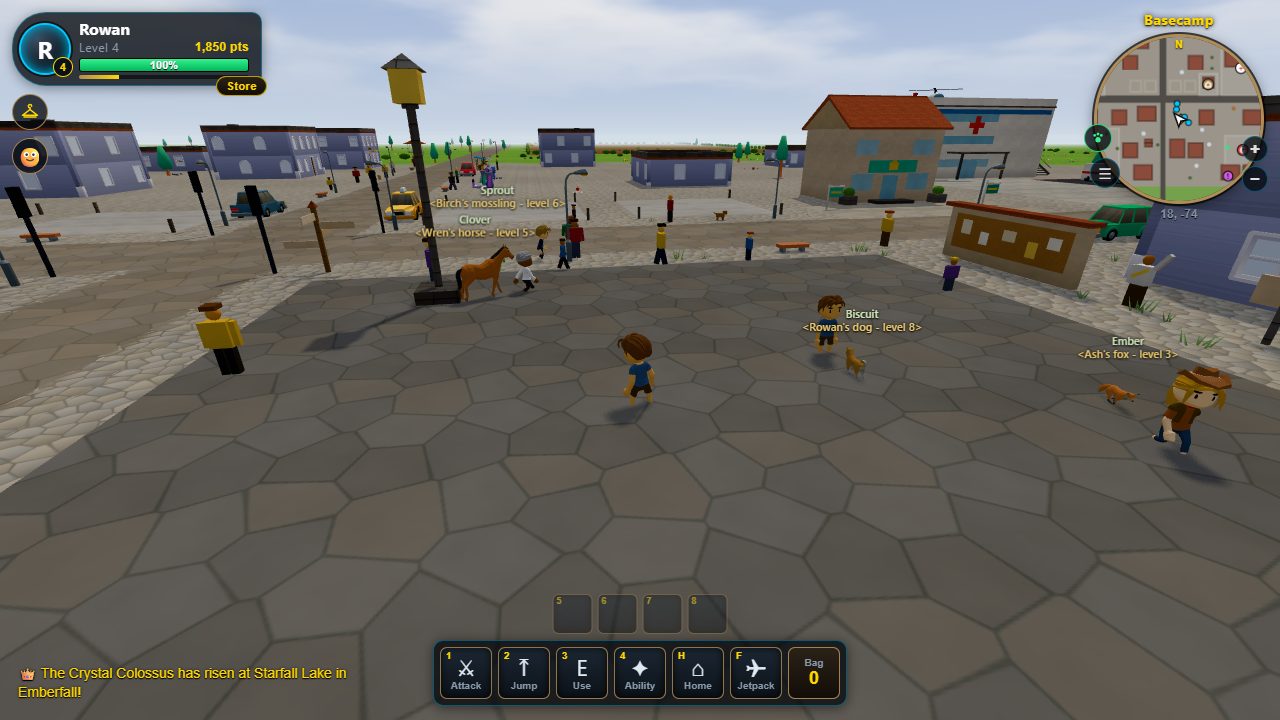
Loot sparkles on the ground. Walk over and press E. Open your bag with B: everything you carry is in one bag, in tabs for gear, materials, consumables, quest things and keepsakes. Click a thing to see what it is, where it comes from and what it is for, then equip it or use it. Sort puts the bag in order, and anything with a use can go on your quick slots (5 to 8): drag it there, or hold a finger on it on a phone.
Open chests
Iron, silver and crystal chests need the right key. Keys turn up as loot, so keep exploring!
Dig for treasure
Four map scraps make a treasure map. Go to the X and dig with E or a shovel.
Rare finds are rare! A legendary is about 1 in 1,000 in town, and 1 in 100 at the luckiest spots.
Buy, sell and bid at the Trading Post
Every big town has a Trading Post. Walk in and press E at the auctioneer behind the counter. The first time, they walk you through it: list something, bid on something, collect. Every post in the realm shows the same board, so sell at one and collect at any.
List something
Pick a thing from your bag, a starting bid and a Buy now price, and 12, 24 or 48 hours. Listing costs a small deposit (2% of its value for every 12 hours), which you get back when it sells. The house keeps 5% of a sale. Kept gear and trophies are yours for good, so they can't be sold.
Bid or buy now
Bid at least the amount shown, or press Buy now to take it at once. If someone bids more, your bid comes straight back to your mailbox. Nobody's name is ever shown: everything goes through the post.
Collect
What you sell, win or get back waits in your mailbox at any Trading Post. Press Collect all. Points from the Trading Post are for spending: they don't count toward your level.
Merchants
By every Trading Post stand a General Goods trader, a Grocer, a Toolmonger and a Junk Buyer (unless a stall in town already sells their line), and every stall seller sells their own goods, different every day. Press E to see their counter. They buy back what you don't need at a quarter of its price (junk a little more at the Junk Buyer), up to 600 points a day.
Trade Tokens
For players 13 and up: a Trade Token costs 100 tokens in the Store. After 72 hours you can sell it at any Trading Post for points, at the house's price (always between 5,000 and 20,000 points), or turn it back into 100 tokens. One you buy at a post can only be turned into tokens. Trade Tokens are never cash. Accounts under 13 don't see them.
The house puts new things on the board every hour, and buys up listings nobody wanted, so there's always something new. Every button in the Trading Post says what it does when you point at it, and its Help tab has every rule.
Train at the gym
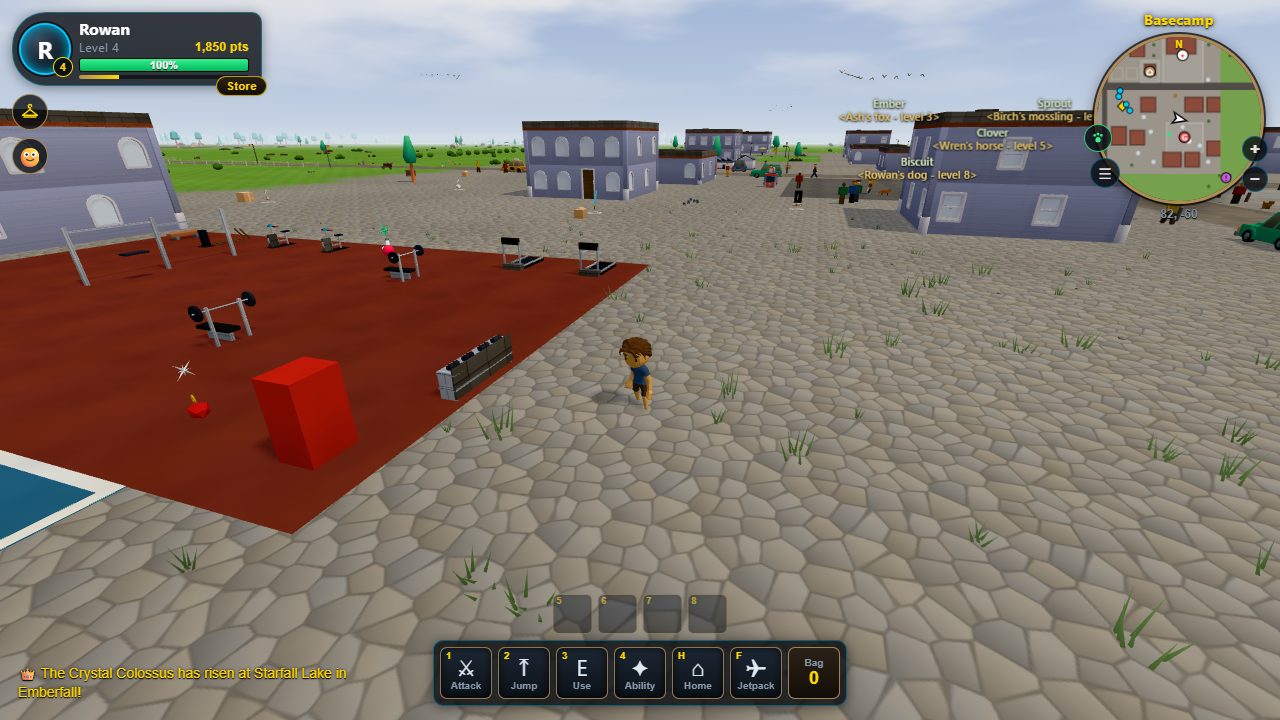
Every town has a gym. Walk up to a machine and press E for a six-second set, or run laps of the court. You build Strength and Stamina, up to level 20 each, and earn a few points every set.
Strength helps you hit harder and smash things faster; Stamina helps you recover and move a little quicker. Your character page shows your levels.
Travel in a flash
Press H (or tap ⌂) to open your Home stone. Your homes come first, then one spot for every town you've visited, then your friends. Pick one and stand still for three seconds while it works its magic. It needs a minute to recharge between trips.
Play with friends
Press O to open Friends and add a character's name. Once you've both added each other, you can see when they're online and where they are, and Teleport takes you right to them with your Home stone.
Playing is free
Beat monsters, train at the gym, smash things, find treasure and finish the tour. Spend points on lots, vehicles, looks and more.
Your level counts every point you've ever earned, so spending never lowers it. Levels open more lots and building patterns.
Tokens buy the same things as points, if you'd rather not wait. They cost $0.10 each and never expire.
Quick answers, and help if you're stuck
Is Majic Realm free to play?
Yes. Playing is free, and everything in the game can be earned with points by playing. Tokens are an optional purchase if you'd rather not wait, and there are no ads.
Do I need to download anything?
No. Majic Realm runs in your web browser on a computer, a phone or an iPad. Make a free account and you can play right away.
How do I build with AI?
Open the build panel on your lot and choose Create something new. Name what you want, see the price in tokens, and the AI builds it right in front of you. Our AI art studio also adds new skins, paint jobs and animals for everyone every day.
Can I talk to the characters?
Yes. Walk up to anyone and press E to say hi. Every townsperson has a job, a mood and a way of talking, and our AI helps each one answer you in their own words, always on friendly topics.
Is it OK for kids?
It's made to be friendly: chat is filtered, bots are always labeled, our AI characters stay on friendly topics, and there are no ads. The guide for parents below has the details.
Help, I'm stuck!
I'm stuck in a wall, a tree or a building
Press Esc to open Settings, then press Unstuck at the top. You'll pop out somewhere safe nearby.
The game feels slow
The realm picks the right amount of detail for your device by itself. Closing other tabs and apps helps, especially on older phones.
I can't see the touch buttons
Open Settings (the ☰ button) and set Touch controls to On.
How do I start the tour again?
Open Settings and choose Help, then Take the tour again. Or just walk up to Pip in Basecamp and ask.
What does this button do? Where are the guides?
Point at anything with your mouse, or hold a finger on it on a phone, and a small box says what it is and what it is for. Press Tab to move from button to button and each one says the same. A short guide shows the first time you meet something new, once for your whole account. Open Settings and choose Help to see any guide again, or to turn them off.
A friendly world, and how we keep it that way
Majic Realm is a family-friendly world to explore, build in and share. Here's what your player will find, what we do to keep it friendly, and what to know before they start.
Chat is filtered. Rude words are starred out before anyone sees them, even when someone tries tricks like swapping letters for numbers or adding spaces. Messages with an email address, a phone number, a street address or a link are not sent, whoever types them. Meme captions go through the same filter.
AI characters stay on friendly topics. They talk about their town, their job and their jokes, never about accounts, payments or real-world news, and their words go through the chat filter too.
Bots are always labeled. Every bot player wears a <Bot> tag and says it's a bot if asked, so kids always know who's a real person.
AI art is checked twice. An AI art director turns down anything scary, unsuitable, or showing real people or brands, and a second AI grades every finished piece. Our team can remove anything instantly.
The Realm Daily is moderated. Nothing a player posts or comments shows up until it passes our filters and a check. Anyone signed in can report a post.
No ads. There's no advertising and no ad tracking. We keep the data needed to run your account; the Privacy Policy lists it all, including the GIFs in chat, which come from GIPHY and can be switched off in Settings.
Playing is free; spending is optional. Everything can be earned with points by playing. Tokens are an optional purchase through Stripe, and every token spent or bought is listed on the Account page.
Age. Kids under 13 play with a parent's OK. At sign-up we email a parent, who says yes from their own account, with a quick card check (refunded right away) or a signed form, and chooses whether their kid can chat and talk with the AI characters. Their account is kept on family content, and on your Family page you can see, change or delete their information any time. How we handle kids' information.
Tips for playing together
- Take Pip's tour together the first time. It covers all the basics in a few minutes.
- Talk about chat: the zone chat reaches everyone in the zone, and it's fine to just not answer someone.
- The Home stone (H) brings your player back to their lot or Basecamp any time.
- Questions or worries? The Privacy Policy has our contact details, and we read everything.